Back
Edit pocket and set icon
Pocket Management
Edit pocket and set icon
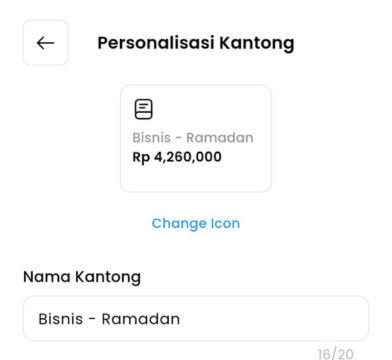
Easily update your pocket’s name, purpose, or financial settings to match your needs. Choose a custom icon to visually personalize your pocket, making it easier to identify at a glance.
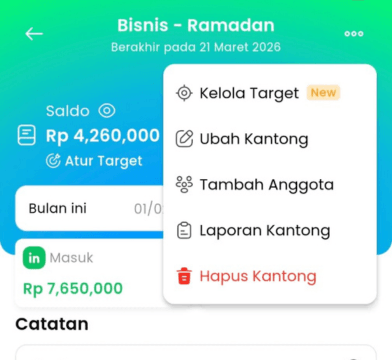
1.Open the selected pocket, tap the menu button at the top, and choose “Edit Pocket.”
2.You can update the pocket name, choose or change the icon, and for purpose pockets, you could set/extend the expiry period.