Back
Check invitation status
Add member and Share Pocket
Check invitation status
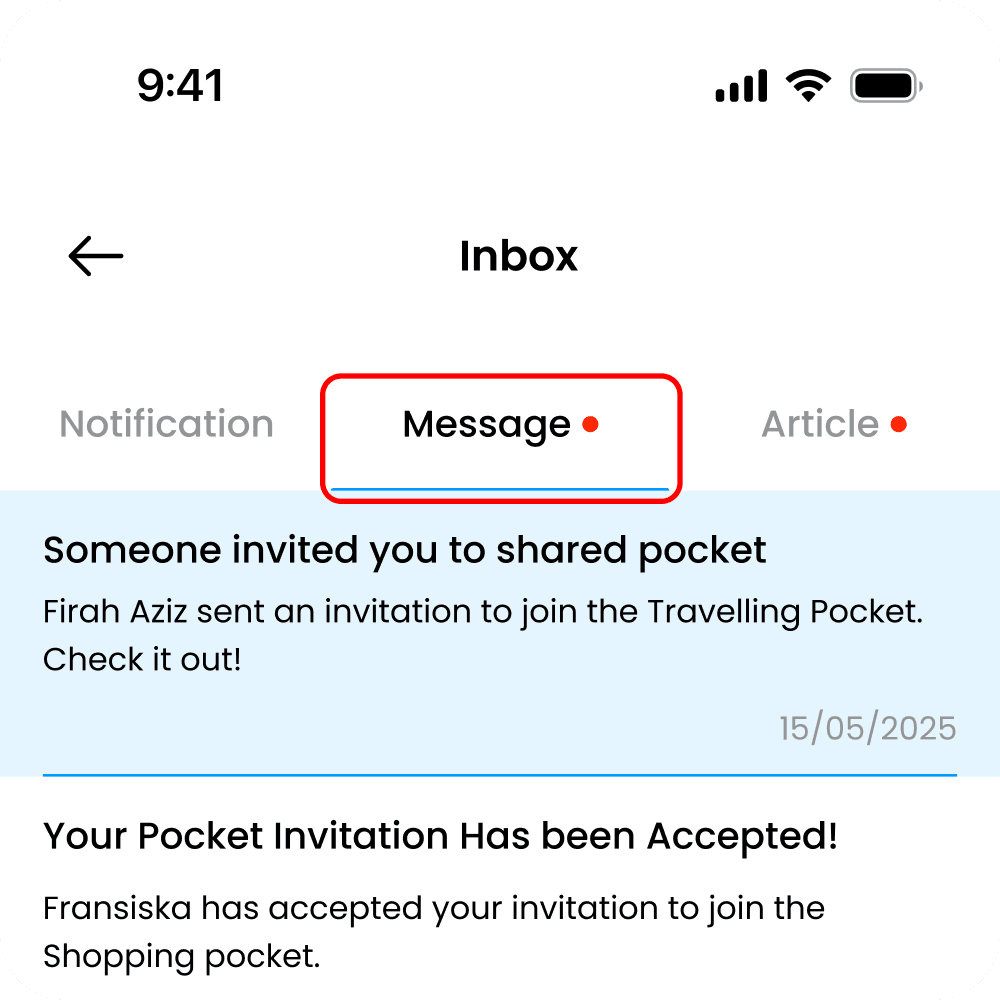
Check Invitation Status lets you track the progress of pocket sharing invitations you have sent or received. You can see whether an invitation is pending, accepted, or declined, all in one place. This helps you stay informed and avoid confusion when collaborating with others. With clear status updates, you always know who has access to your shared pockets and whether action is still needed. It ensures transparency and keeps pocket sharing organized and under your control
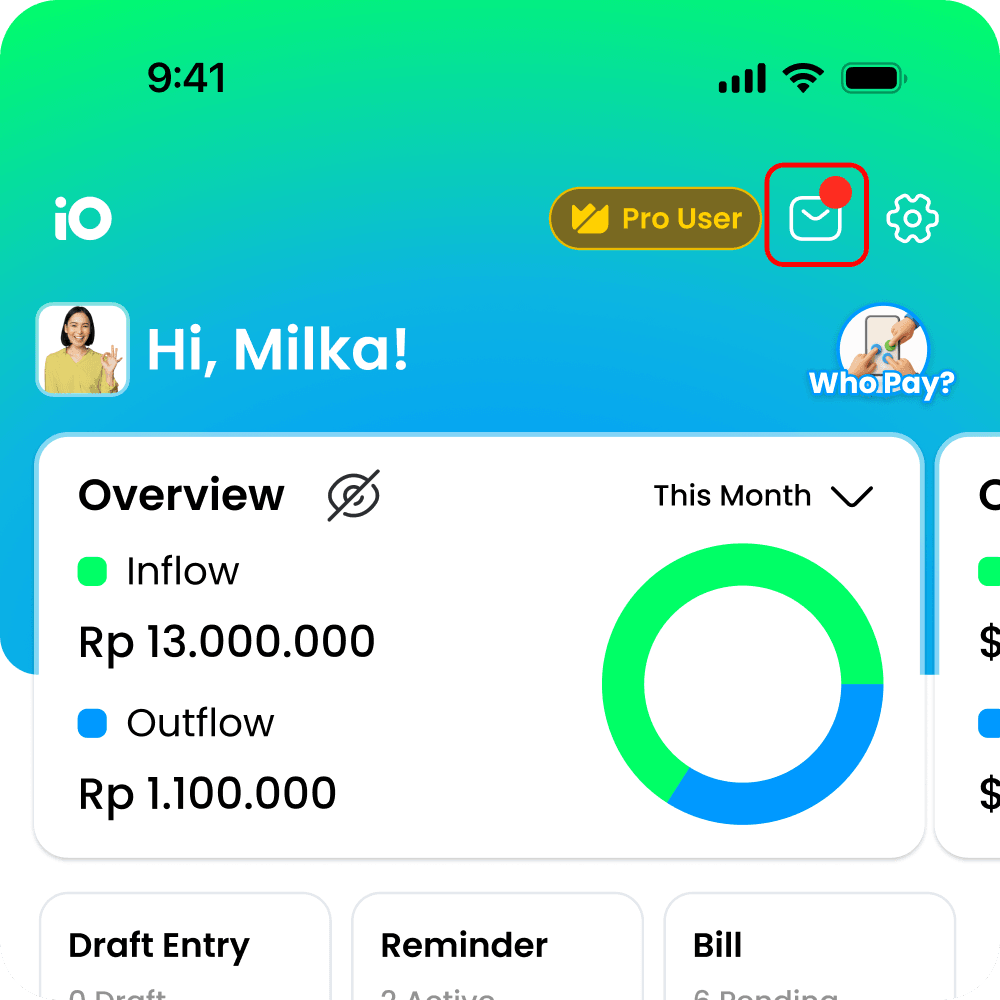
Select the Mail icon in the top-right corner of the homepage
Select the Messages option